Official Uber Pickup at Galeão Airport
How to safely request an Uber at Rio de Janeiro International Airport
To ensure a safe and comfortable arrival in Rio de Janeiro, ICSM 2026 participants landing at Galeão International Airport should use only the airport’s official app transportation pickup area.
The official pickup point is clearly identified inside and outside the arrivals area. Please follow the airport signs marked “App Transportation” or “Uber”.
Step-by-step guide
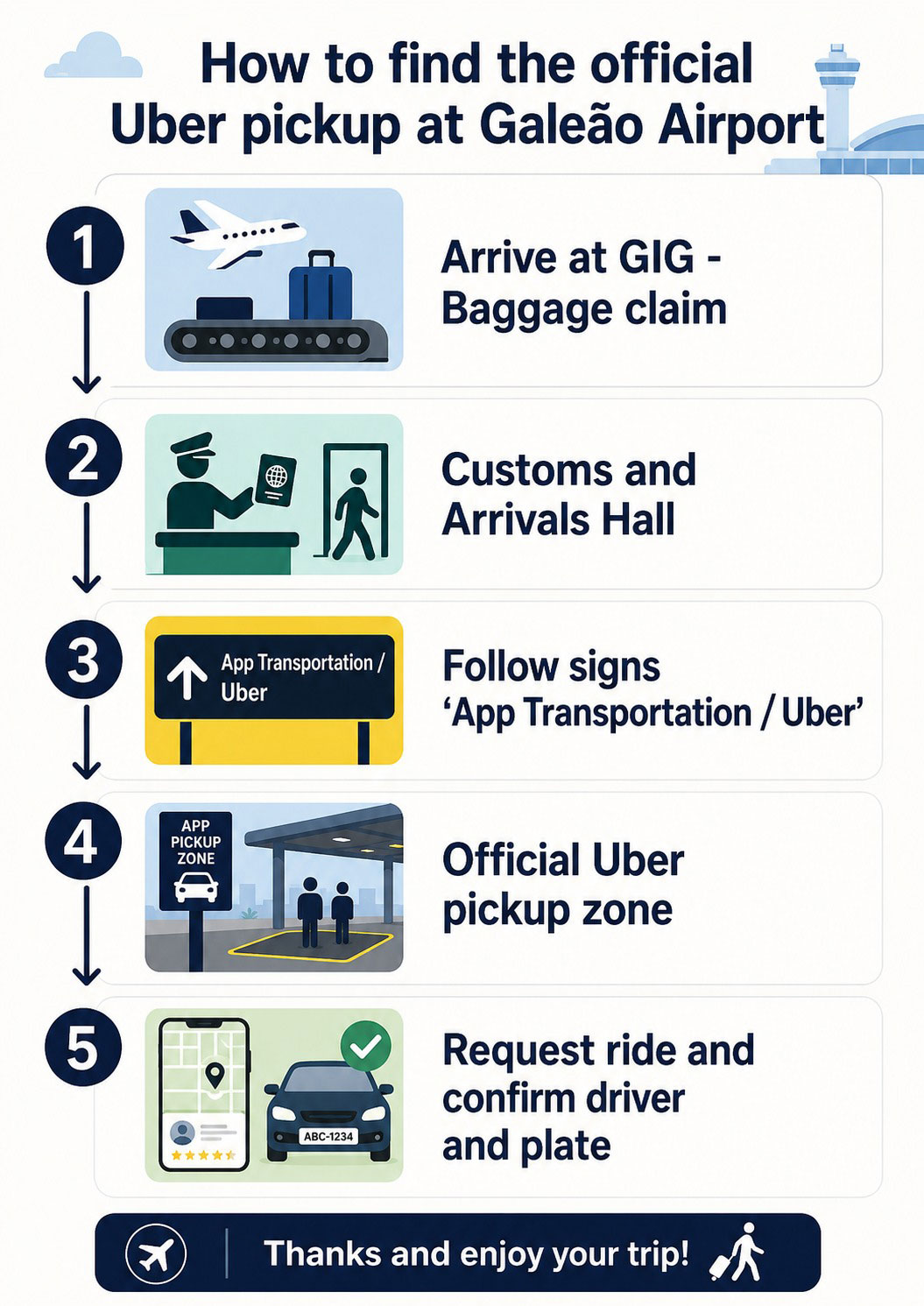
Click or tap the image to view it in full size.
Watch the route to the pickup area
The video shows the route from the arrivals area to the official app transportation pickup point.
What to do after landing
Collect your luggage
After landing at Galeão Airport, proceed through immigration, when applicable, and collect your luggage at baggage claim.
Pass through customs
Complete the customs procedure and enter the public arrivals hall.
Follow the official signs
Look for signs indicating “App Transportation” or “Uber”. Do not follow directions given by unofficial drivers or transportation agents.
Go to the official pickup zone
Continue following the signs until you reach the designated app transportation boarding area outside the terminal.
Request and verify your ride
Request the ride through the official Uber app. Before entering the vehicle, confirm the driver’s name, vehicle model, color and license plate shown in the application.
Safety recommendations
- Request your ride only through the official Uber application.
- Do not enter a vehicle if the license plate or vehicle details do not match the information displayed in the app.
- Never disclose your verification code to anyone before locating the correct vehicle.
- Do not accept rides offered directly by people inside or outside the airport terminal.
- Wait for the driver only in the official app transportation pickup area.
- We recommend selecting Uber Black for transportation between the airport, hotels and the convention center.